Get Latest Telemetry Values via API
Get your personal access token
Get your Device ID
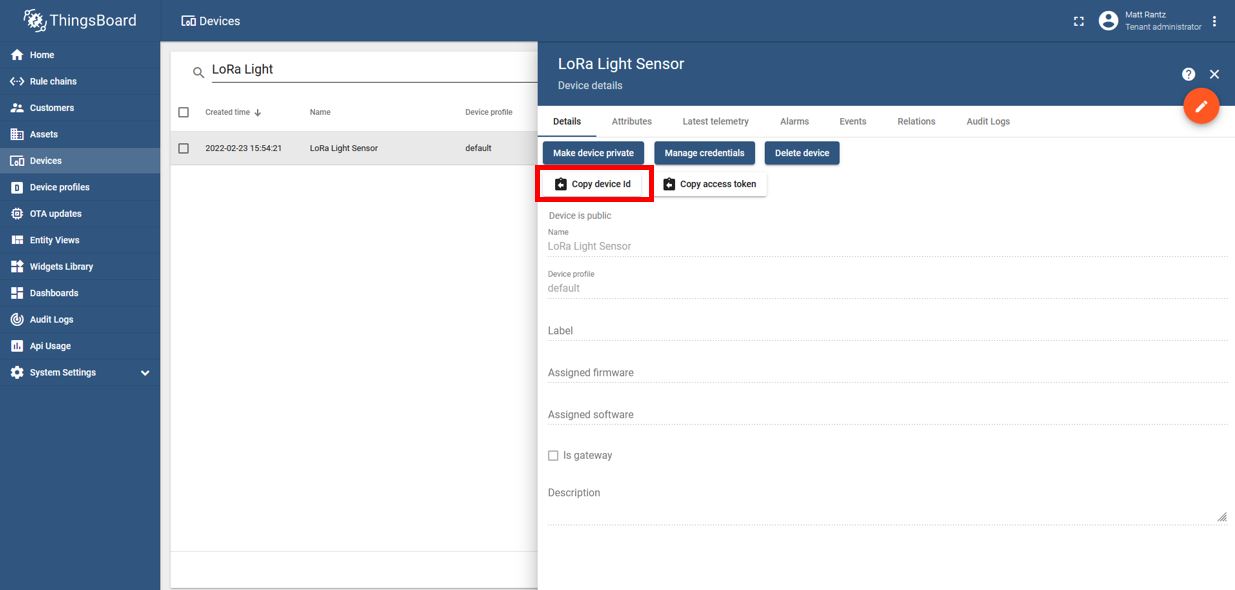
In ThingsBoard, go to Devices, select your device, and click Copy device id
Perform the following curl command in your command prompt:
curl -v -X GET http://variot.ece.drexel.edu:8080/api/plugins/telemetry/DEVICE/<DEVICE ID>/values/timeseries?keys=<TELEMETRY FIELDS> --header "Content-Type:application/json" --header "X-Authorization:Bearer <PERSONAL ACCESS TOKEN>"
Where:
DEVICE ID is the Device ID you received in Step 2
TELEMETRY FIELDS are the telemetry fields you wish to receive in the form
key1,key2,key3PERSONAL ACCESS TOKEN is the token you received in Step 1
The response should look something like this:
{"<KEY>":[{"ts":1649704161368,"value":"425.534"}]}
For more on working with telemetry data, review the Time-series data section of the ThingsBoard documentation